
Sidebox for your workflow
SaaS portfolio dashboard for indie developers
When you run several micro SaaS products, every app has its own dashboards. Sidebox gives your portfolio a shared starting point, with a dedicated home for each product.
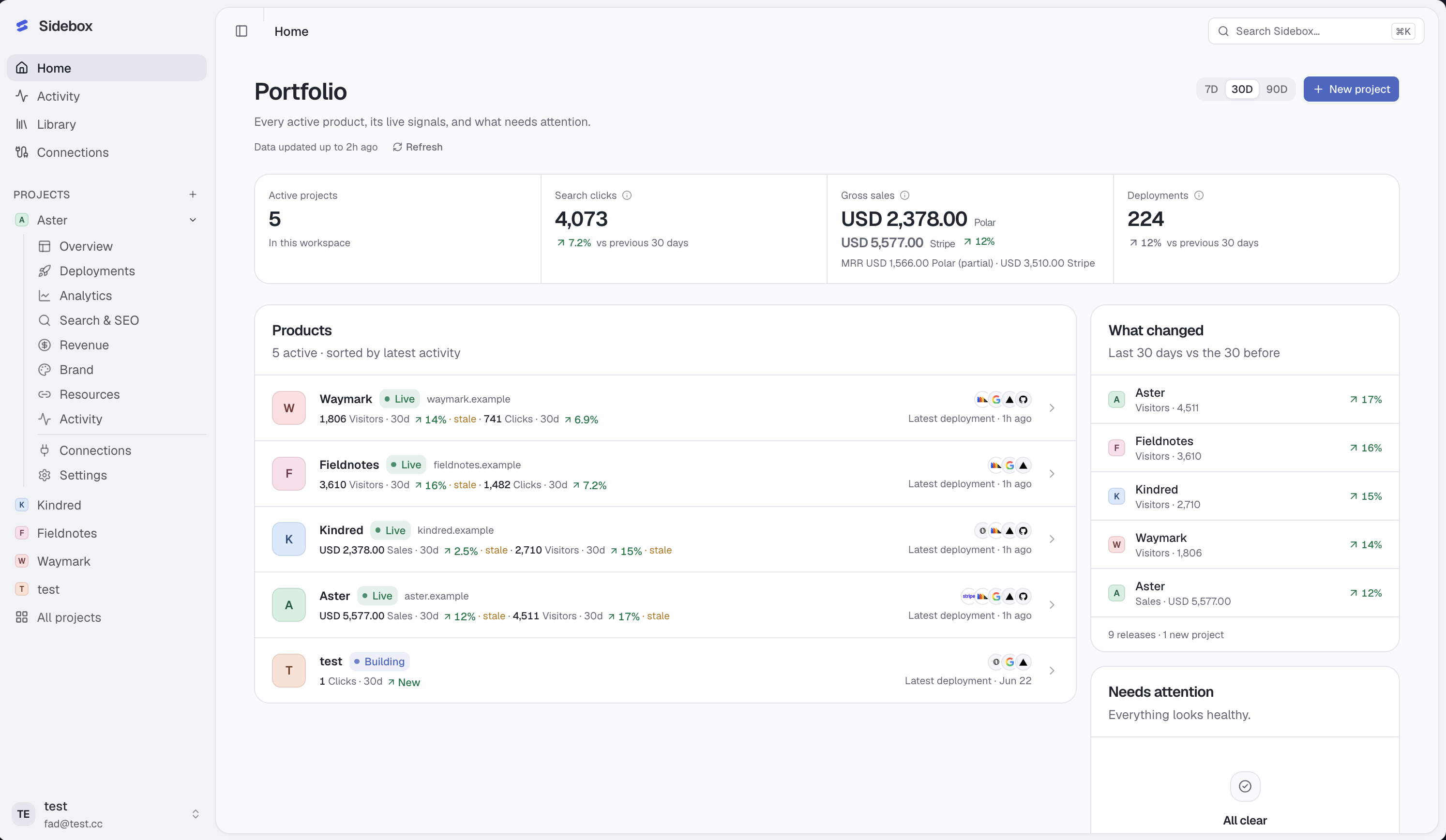
Start with the products that need you
Open the portfolio overview to review project signals, recent activity, and actionable attention items. A failed production deployment, failing CI, or a connection that needs reauthorization can point you toward the next useful action.
Each product shows signals from its mapped services. A product with only GitHub connected does not appear to have known revenue or traffic. Open that product’s overview when you need its performance trends and operational context.
Connect performance to the right product
Map a GitHub repository, Vercel project, Search Console property, PostHog project, and Polar or Stripe resource to the product they belong to. Authorizing an account and mapping its resources are separate steps.
Within a project, review traffic and search trends, deployment results, code health, and payment-provider summaries. Revenue providers and currencies stay separate. Gross sales and current MRR are different measures, so Sidebox labels them explicitly.
The workspace provides cross-project summaries where aggregation is meaningful, such as search clicks and deployment counts. It does not combine every project metric into a single universal health score.
Know how recent the picture is
Dashboards use cached provider summaries, with source identity, mapped resource, and freshness. Refresh is on demand. Search Console data also carries a data-through date because search reporting arrives with a delay.
If a refresh fails, useful cached information remains available with the failure state. Missing data stays unavailable rather than becoming a plausible zero. Check freshness before making a decision based on a change.
Go directly from a signal to its source
Sidebox’s provider connections are used for read-only reporting. Follow a native dashboard link to inspect a failed build, investigate a traffic change, or handle a payment in the specialist tool.
Keep each product’s website, saved links, brand details, and assets alongside its performance. The same workspace helps you understand what changed and retrieve what you need to work on it.